💧 Plant Soil Moisture Alert
A soil sensor that buzzes when your plant is thirsty — simple, useful, and genuinely saves plant lives.
Overview
Soil moisture sensors measure conductivity between two probes. Wet soil conducts electricity well (low resistance), dry soil doesn't (high resistance). Arduino reads this via analogRead.
What you'll learn: Analog sensor reading, threshold logic, buzzer control, and real-world sensor calibration.
Estimated time: 30–40 minutes. Difficulty: ⭐⭐ Easy.
Components Needed
| Component | Specification | Qty | Notes |
|---|---|---|---|
| Arduino Uno R3 | 5V | 1 | |
| Soil Moisture Sensor | Capacitive or resistive | 1 | Capacitive lasts longer |
| Piezo Buzzer | Passive 5V | 1 | Alert when dry |
| Breadboard + Wires | Standard | 1 |
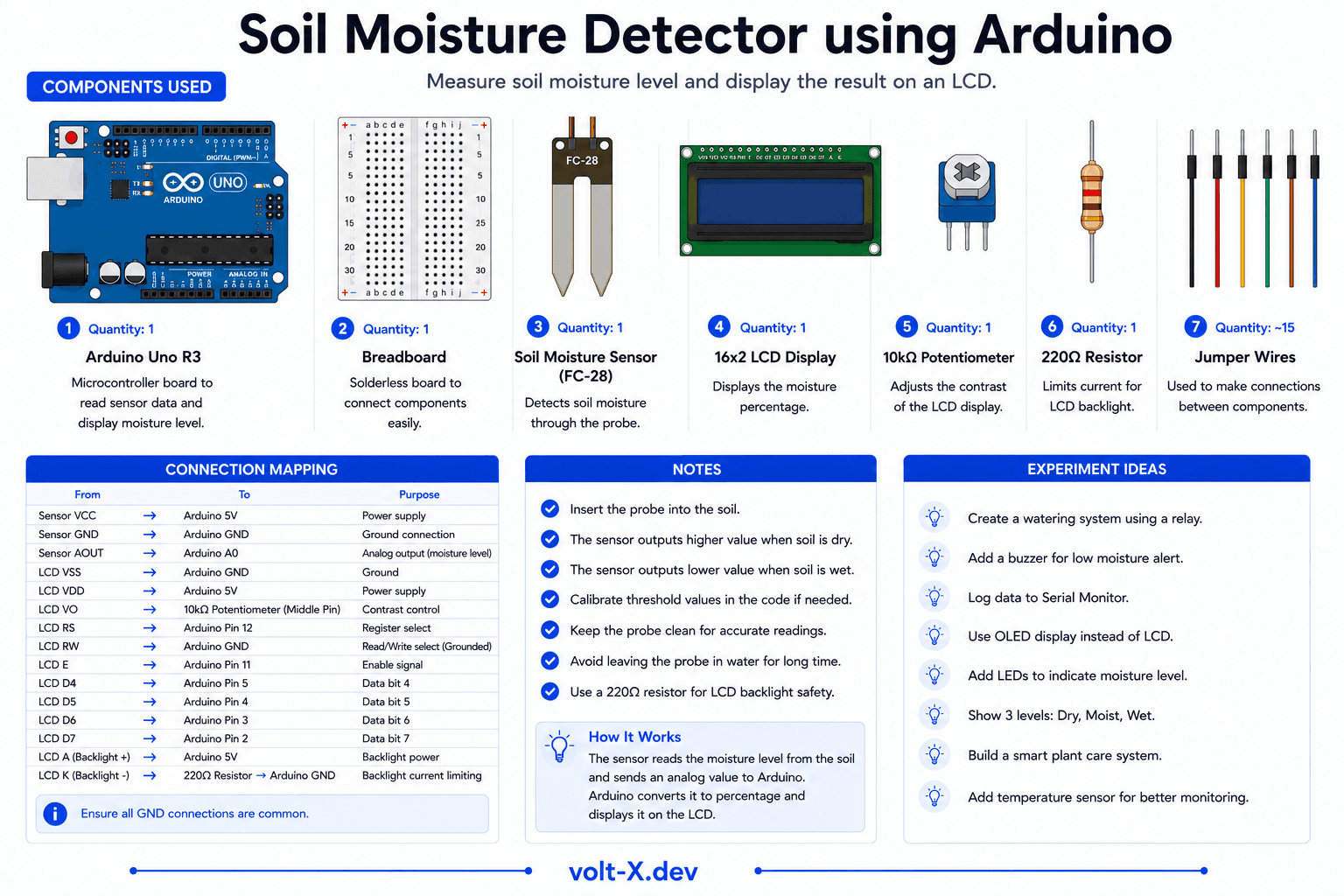
Component Pin Mapping
Step-by-Step Tutorial
1
Connect the Sensor
Sensor VCC -> 5V, GND -> GND, AOUT -> A0.
2
Connect the Buzzer
Buzzer+ -> pin 8, Buzzer- -> GND.
3
Calibrate
Open Serial Monitor. Note analog values for completely dry soil and wet soil. Set
dryThreshold accordingly.4
Plant It!
Stick the sensor in your plant pot. It will buzz when it needs watering.
Resistive sensors corrode over time due to electrolysis. Capacitive sensors are more expensive but last much longer — worth the upgrade.
Arduino Code
soil_moisture.ino
INO
// Soil Moisture Alert — Volt X
const int sensorPin = A0;
const int buzzerPin = 8;
const int dryThreshold = 600; // Adjust after calibration

void setup() {
  pinMode(buzzerPin, OUTPUT);
  Serial.begin(9600);
}

void loop() {
  int moisture = analogRead(sensorPin);
  Serial.print("Moisture: ");
  Serial.println(moisture);

  if (moisture > dryThreshold) {
    // Dry — buzz alert
    tone(buzzerPin, 1000, 500);
    delay(1000);
  } else {
    noTone(buzzerPin);
    delay(500);
  }
}Reviews & Ratings
—0 reviews
Sign in to leave a review
Loading reviews...